These are the stories of the citizens of Knowlton - A Sims 2 Prosperity Challenge. If you love it, if you hate it, if you saw something you wanted to talk about, PLEASE leave comments. I'm a sad pathetic human, and I live for comments.

For those of you not familiar with what a Prosperity Challenge is, it's a Sims 2 Challenge in which the main focus is to build a prosperous community from scratch. There are a few catches though, everything, including your starting families are determined by the role of a dice (or in my case a randomizer). For the complete rules and setup you have two options the Yahoo! Group or the BBS thread at the official site.

The quick low down on the newly created Knowlton; Knowlton is completely deserted. It's set out in a grid, so at some point in the past it may have even been a city, but that may have been hundreds of years ago, because other than roads for miles around all you see is grass plains. Four daring families have decided (okay have been forced) to make a new start here. So come meet these daring folks, hear their stories, and wish them luck folks, they're going to need it! To start from the beginning click here.

~~~~~~~~~~~~~~~~~~~~~~~~~~~~~~~~~~~~~~~~~~~~~~~~~~
Showing posts with label Notes from the Author. Show all posts

Thursday, January 17, 2008

Hiatus

Hiatus: a break or interruption in the continuity of a work, series, action, etc.

Yes, I'm officially declaring a hiatus on Knowlton Prosperity. I will be getting back to it, but I've decided to concentrate on Day After Tomorrow Sim Style for now. DATS should be much faster to finish and then I can concentrate on Knowlton once again. At least for awhile until the sheer number of houses drives me to try another apocalypse just to give myself a break! In the meantime, pop over to DATS for more of my generally sarcastic sense of humor!

Tuesday, May 1, 2007

I'm back!!

Welcome Back Everyone!!!

Well, my real life has calmed down a bit now. I finally had my trip to Montreal to visit RL Abbie, and my trip to BC fell through because of my husband's passive sabotage. Basically he was supposed to ask his parents to watch the kids while I was away when he was at work and he just never did it. Here's hoping I can push it a bit harder in November.

April was also a big month for planning (and sometimes implementing) home renovations. I finally got my Bosche dishwasher that I've been lusting after for at least a year, and I've decided on the cabinets to finish off the empty wall of my kitchen. We've also been trying to pick paint colors for the living room and master bedroom.

One of the main reasons I didn't write much in April is that I wasn't feeling well. I was having a lot of dizzy spells and my hands and feet were numb most of the time. It turns out that all the coffee my doctor prescribed for my low blood pressure was aggravating my high stress levels and was causing me to micro-hyperventilate 24/7. I'm now limiting myself to one cup of real coffee each day and a lot of herbal teas. To top it all off, I've developed a rather nasty case of tendinitis that seems to roam all up and down my right arm from my wrist all the way to the shoulder, so updates may be a bit slower than previously depending on how good my arm's feeling that day.

Stay tuned, because tonight I'll be playing the Collin household. I'm even going to try writing the blog as I play to save a bit of publishing time. I guess we'll just have to see if that works well.

Thanks to all of you for being so patient and loyal! You all get cookies!

Wednesday, March 28, 2007

We're Suffering Technical Difficulties

Well, not really, it's more that my muse has deserted me, and my RL is kinda busy right now. So instead of just leaving you all hanging I'll do you the courtesy of informing you that Knowlton will have new chapters once more starting May 1st. Hope you all remember me in a month! :)

Wednesday, February 14, 2007

Basement Garages

I was going to write a quick tutorial on how to build basement garages. Then I discovered I suck at writing tutorials. I can't explain clearly, I forget to take pictures with the mouse showing, and I either make it sound like everyone else is stupid, or like they should know all the building cheats. Instead I'm going to provide several links to tutorials that are already available. My favorite is the one by Tiko.

Building New Basement Garages by Tiko of TSR

Garage Tutorial by SteveUK of MTS2

Underground Basement Garage
by SimMasterRalph of TheSims2.com

Hopefully these will answer all of your questions, because I'm really horrid at explaining how it is I do what I do! Ask my kids. I've shown Marcus and several of his friends how to do this. I've given up now, I just built them a lot with the garage done, and they build from there.

Thursday, January 18, 2007

Quick Tech Break

Jenn the Simmer Girl (click here to see her site) left me a comment asking about my family trees. At first I was just going to answer in the comment field too, but decided that it was way too long for a comment.

Basically when you're looking at my family trees what your seeing is a combination of simPE and PhotoShop at work. Jenn, I'm not sure exactly what part of my family trees you thought looked better than it should so bear with me and just scroll around to whatever it was you liked.
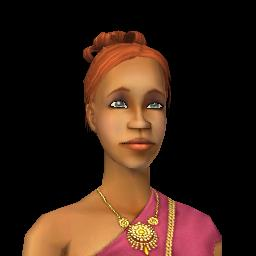
The first step is exporting the nice headshot photos of your sims from simPE. There are a number of how-tos about this out there, but I'll be nice and tell you right here. Once you've opened simPE you need to open the neighborhood browser, and once that's open the sim browser. Find all of you sims whose pictures you want and write down their file names. The name is always something like N006_User00441 (I think this is Loretta's file, lol). Once you know all the files you have simPE open each file. In the resource tree (upper left hand corner) scroll down until you find jpg/tga/png Image and select that and then in the resource list highlight one. You'll end up with one of each of the headshots that your sim has had in game. Select the one you want and then click on the export button to save it somewhere. Once you've finished exported all the headshots you want you can close simPE.


After that I've created a Sim Template in Photoshop which using layers allows me to select the sim's aspiration, zodiac, ltw, impossible wants, careers, life state, accomplishments, etc. Once I've got everything showing that I want to see on the final shot I save a copy of that as a jpg. If you're planning on updating your shots with each life stage it might be a good idea to save the file as the simsname_age.jpg.

Once I've got all my sims shots up to par it gets a little trickier. I've got a standard background that I'm using for now (it's a psp background that I found online and resized and fiddled with) but each family has different connections so the lines are all drawn in, and need to be moved deleted or invisible each time you update it. Anyone who wants one of my templates is welcome to them, I'd even be willing to make family trees for those of you who don't have photoshop or find it scary. I refuse to leave my email address laying around in the open and I'm new to blogger, so I don't know all the ins and outs. If you want to contact me, you can pm me over at thesimsresource.com. I'm NightRowan over there too, so it's simple, and TSR has free memberships. You could always check out my downloads while you're there too (shameless plug *grin*).

Jenn, great site by the way, yours is the reason I decided to blog my story this time around. Maybe if I'm actually writing for other people I won't get bored when all my sims are rich!
